DONT LET IT HEAR Controls
Master movement and camera so your inputs never throw you into the water.
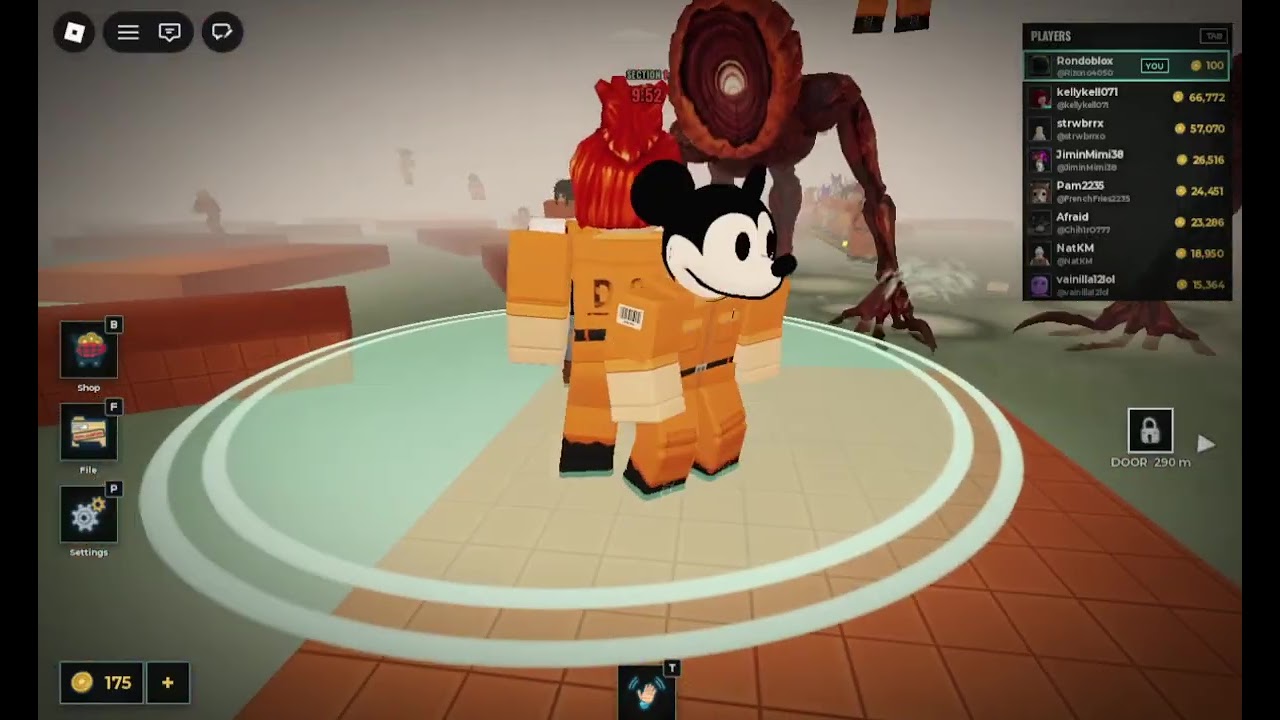
Good controls will not make the creature ignore water — but bad controls will splash you even when your plan was perfect. This page focuses on movement, jump timing, camera discipline, and the differences between Roblox PC, mobile, and console while playing DONT LET IT HEAR. Pair it with Getting Started for rules and How to Survive for decision-making.
The fantasy remains fixed: flooded platforms, a hearing-based threat, and up to 99 players sharing the same wet mistakes. Your fingers have to respect that fantasy.
Default movement goals
Every input should answer one question: does this keep me dry? Speed is secondary. Style is irrelevant. If a flourish risks a pool edge, delete the flourish from your muscle memory.
Practice these defaults:
- Approach gaps at a controlled walk, not a blind sprint.
- Pre-aim the camera at the landing tile before you jump.
- Release forward movement early if your avatar tends to overshoot.
- Strafe only on wide dry surfaces; avoid lateral drift on thin beams.
- Stop completely when audio cues suggest nearby disturbance.
Jump timing
Most deaths that feel like “lag” are actually mistimed jumps. Use this timing loop:
- Stop at the edge and confirm the landing is dry.
- Check that no teammate is jumping into the same tile.
- Jump with a short runway — long sprints increase overshoot.
- Hold forward only as much as needed to clear the gap.
- On landing, kill momentum if the next surface is narrow.
- Listen for splash audio. If you hear yourself hit water, path to the nearest dry recovery immediately if the design allows, or accept that you may have drawn attention.
If you repeatedly clip the water on near-miss jumps, stand one step farther back and take a cleaner arc instead of toe-edging every gap.
Camera control
Camera mistakes create movement mistakes.
- Keep the camera high enough to see water borders around your feet.
- On PC, lower mouse sensitivity until micro-adjustments do not swing you off beams.
- On mobile, use a claw or stable thumb posture so the jump button does not shove the camera.
- On console, raise look sensitivity carefully; too high makes thin platforms unreadable.
- Never open inventory or shop menus while the camera is pointed down into a pool.
When a chase breaks out, resist the urge to whip the camera in full circles. Snap to your escape line, then move.
Crouch, walk, and stealth-adjacent inputs
Roblox experiences vary in whether crouch exists as a dedicated control. If DONT LET IT HEAR exposes a crouch, slow-walk, or similar toggle in your current build, use it on wet-adjacent tiles to reduce accidental sprint. If crouch is not present in your session, treat walk versus sprint as your stealth layer: default to walk near water, sprint only on long confirmed dry corridors.
Do not invent a crouch keybind that the game does not provide. Check your device settings and the in-experience controls label after updates — see Updates Hub when patches ship.
PC tips
- Keyboard WASD plus spacebar jump is the standard Roblox baseline.
- Bind shift-lock or first-person preferences only if they help you see edges; third-person often shows water borders better.
- Disable unnecessary RGB software overlays that steal focus.
- Use wired audio when possible so wireless hiccups do not hide cues.
- Keep FPS stable; huge frame time spikes change jump feel.
Mobile tips
- Dynamic thumbstick drift is a splash factory. Recenter often.
- Move jump and camera zones so your fingers do not overlap.
- Play in landscape with a firm grip; pocket joins cause accidental taps into water.
- Turn on Do Not Disturb so notifications do not steal an entire jump window.
- If your device overheats in 99-player lobbies, lower graphics before you lower audio fidelity.
Console tips
- Use a clean controller; sticky triggers cause late jump releases.
- Map comfort vs precision: slightly lower move stick sensitivity near parkour segments if your console build allows look/move tuning through Roblox settings.
- Keep headset chat quieter than game audio.
- Avoid putting the controller down on wet-edge AFK spots — bump input is real.
Training drills (10 minutes)
- Edge stops: walk to ten different dry edges and stop without leaning into water.
- Camera pre-aim: before each jump, name the landing tile out loud.
- Abort jumps: approach five gaps and choose not to jump when a teammate crowds the landing.
- Recovery composure: after any splash (yours or nearby), practice pathing away instead of panic spinning.
- Device switch: if you play on two platforms, repeat the same corridor on both to feel input differences.
Log which drill fails most often, then reread How to Survive for decision context and Full Walkthrough for route structure.
Controls myths to ignore
- “Higher sensitivity always equals better horror reaction.” Not on thin flooded beams.
- “Sprint is always safer because you spend less time exposed.” Sprint increases splash overshoot.
- “Scripts fix bad inputs.” They add ban risk — see Scripts Hub — and do not teach timing.
- “Mobile cannot play seriously.” Mobile can; it just needs stricter camera hygiene.
Related pages
- Getting Started — day-one rules
- How to Survive — pathing under pressure
- Sound Mechanics — hear the splash before you repeat it
- Team Tips — stagger jumps with friends
- Full Walkthrough — stage patterns
- Quiet Run Checklist — pre-run device setup
- Guides Hub — all guides
- Survival Habits Tier List — rank your habits
Clean inputs keep you dry. Dry players hear the next cue. That is the entire controls philosophy for DONT LET IT HEAR.
Frequently Asked Questions
Quick answers about staying dry and escaping the hunt.
What is the most important control skill in DONT LET IT HEAR?
Controlled jump timing onto dry tiles. Most preventable deaths come from overshooting gaps into water.
Should I play in first person or third person?
Use whichever lets you see water borders at your feet. Many players prefer third person on thin platforms for edge awareness.
Is crouch required?
Only if your current build exposes crouch or slow-walk. Otherwise treat walk versus sprint as your stealth control and stay deliberate near water.
Any quick mobile fix for accidental splashes?
Recenter the thumbstick, separate jump and camera zones, and approach gaps walking instead of sliding at full stick deflection.